
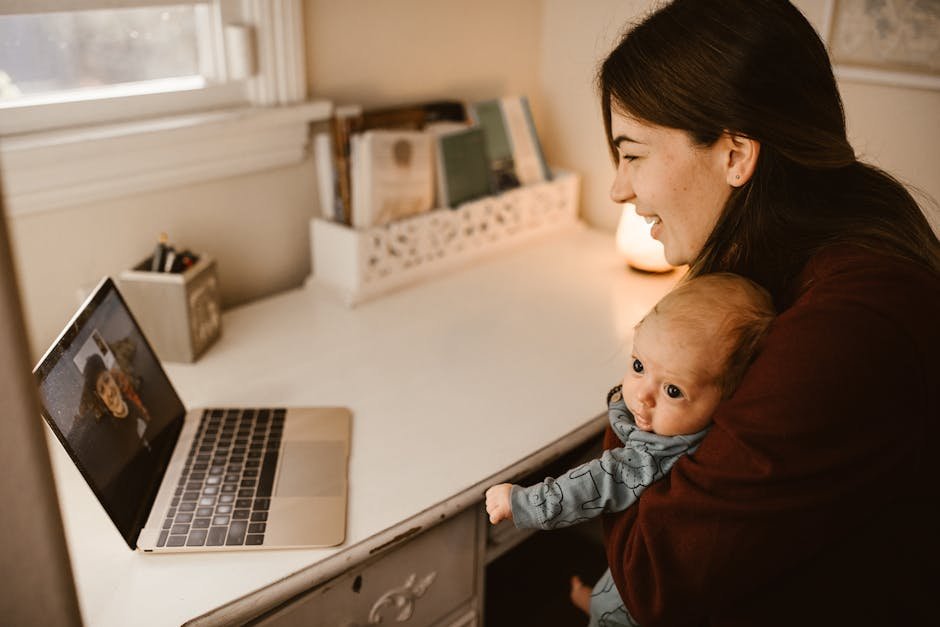

Many parents assume a video monitor is automatically safer than an audio-only model. But guidance from the American Academy of Pediatrics (AAP) focuses more on safe sleep setup, cord placement, and caregiver response than on whether you watch your baby on a screen.
That distinction matters. A monitor can be useful for supervision, but it does not reduce the need to follow safe sleep basics such as a firm flat surface, no loose bedding, and keeping monitor cords well out of reach. Data from the Consumer Product Safety Commission (CPSC) and product safety alerts have repeatedly highlighted strangulation risks from cords placed too close to cribs.
Key Takeaways: Video monitors offer visual reassurance and can help with room checks, while audio-only monitors are often simpler, more private, and less expensive. The better pick depends on your home layout, sleep habits, budget, and whether visual monitoring actually improves your decision-making or just increases late-night checking.

Quick Verdict
If you want to see position changes, confirm whether your baby is awake, or monitor more complex nursery setups, a video baby monitor is usually the stronger fit. It can reduce unnecessary room entries when you need to verify whether a baby is fussing briefly or truly needs attention.
If you want a lower-cost, lower-tech, and often easier-to-use option, an audio-only baby monitor is still a practical choice. For many families in smaller homes or apartments, audio coverage is enough to hear cries clearly without adding screen fatigue or Wi-Fi concerns.
Head-to-Head Feature Comparison
| Feature | Video Baby Monitor | Audio-Only Baby Monitor |
|---|---|---|
| Primary function | Live audio + visual feed | Live sound only |
| Typical price range | $80-$300+ | $25-$90 |
| Best for | Parents who want visual checks, larger homes, twins, complex routines | Parents who want simplicity, lower cost, travel-friendly monitoring |
| Display | Dedicated parent unit or phone app | No screen |
| Night monitoring | Usually infrared night vision | Audio only, no visual confirmation |
| Privacy risk | Higher on Wi-Fi models; lower on local FHSS models | Generally lower, especially non-Wi-Fi units |
| Battery drain | Higher due to screen/video transmission | Usually lower |
| Travel convenience | Bulkier, more charging needs | Lighter and simpler |
| Interference concerns | Possible depending on wireless type and home layout | Possible, but many units are straightforward to troubleshoot |
| Sleep-checking behavior | Can reduce room entries, but may encourage over-checking | Encourages listening for real need cues |

Pricing Comparison
| Category | Video Baby Monitor | Audio-Only Baby Monitor |
|---|---|---|
| Entry price | About $80-$120 | About $25-$40 |
| Mid-range | $120-$200 | $40-$60 |
| Premium tier | $200-$300+ | $60-$90 |
| Typical add-on costs | Extra camera $40-$120, app fees on some brands, replacement battery | Rechargeable battery pack on some units |
| Long-term value | Higher if you need visual checks for multiple rooms or children | Higher if your needs are basic and short-term |
What Safety Research Actually Supports
Here is the core point parents often miss: baby monitors are convenience tools, not safety devices that replace safe sleep practices. The AAP safe sleep recommendations emphasize room sharing without bed sharing in the early months, putting babies on their backs to sleep, and keeping the sleep space bare.
The JPMA encourages parents to choose juvenile products that meet applicable safety standards and to use products only as directed. For monitors, that means paying close attention to setup instructions, especially cord distance, mounting method, and battery or charging safety.
The CPSC has issued warnings over the years about monitor cords that can create strangulation hazards when placed near a crib. A practical rule is to keep all monitor cords and accessories at least 3 feet from the crib, with many safety advocates preferring even more clearance when possible.
There is also a misconception that more data or more visibility equals better infant safety. In reality, a video feed cannot replace physically checking a sick baby, following recall notices, or installing the nursery correctly. And if a monitor app fails, freezes, or disconnects, parents can easily develop a false sense of security.

Where Video Monitors Clearly Win
Video monitors offer one important benefit: context. You can tell whether a baby is simply stretching, has kicked off a sleep sack incorrectly, or is fully awake and trying to sit or stand.
This matters even more as babies become more mobile. Once a baby starts rolling, pushing up, or pulling to stand, seeing what is happening can help you decide whether to intervene or wait a moment.
Many video units now include features such as split-screen viewing for two children, temperature display, remote pan/tilt/zoom, and night vision. Typical specs on mainstream models include room temperature readouts, 8 to 12 hour parent-unit battery life in audio-only standby, and indoor ranges advertised around 600 to 1,000 feet in open space, though real-home performance is usually lower.
Video can also help in multi-level homes. If the nursery is upstairs and the kitchen or laundry room is downstairs, visual confirmation may keep parents from making repeated room entries that disturb a sleeping infant.
Video Monitor Pros
- Visual confirmation of wakefulness, movement, and sleep position changes
- Helpful for twins or siblings in separate sleep spaces
- Can reduce unnecessary nursery visits
- Useful in larger homes with more distance or background noise
- Often includes night vision and multi-camera support
Video Monitor Cons
- Higher cost, often $80-$300 or more
- Shorter battery life than audio units
- More setup complexity
- Wi-Fi models may raise privacy and hacking concerns
- Can encourage constant checking that increases parental anxiety
Where Audio-Only Monitors Still Make Sense
Audio-only monitors remain underrated because they solve a simpler problem very well: hearing your baby when you are not in the room. In many homes, that is enough.
They are typically lighter, cheaper, and faster to set up. A common audio-only parent unit may weigh under 6 ounces, offer rechargeable battery operation, and run longer between charges than many screen-based units.
They also tend to travel better. For grandparents’ homes, hotel rooms, or short trips, a small audio monitor is often easier to pack than a camera system with mounts, larger power adapters, and extra cables.
Another advantage is privacy. Non-Wi-Fi audio systems generally expose fewer digital attack points than app-connected monitors. That does not make them risk-free, but it does simplify the security picture.
Audio-Only Monitor Pros
- Lower price, often $25-$90
- Simpler controls and setup
- Usually longer battery life
- More portable for travel or backup use
- Less temptation to stare at a screen all night
Audio-Only Monitor Cons
- No visual confirmation of what caused the noise
- Harder to tell whether fussing is brief or escalating
- Less helpful for multiple children or large homes
- No night vision or visual room checks
- Some parents may end up entering the nursery more often
Specs Parents Should Compare Before Buying
Whether you choose video or audio-only, compare hard numbers instead of marketing language. The best baby monitor for one family can be the wrong fit for another if the layout, budget, or sleep setup differs.
| Spec | What to Look For | Why It Matters |
|---|---|---|
| Wireless type | FHSS, DECT, or Wi-Fi | Affects privacy, app access, and interference |
| Range | Advertised 600-1,000 ft open-air | Real indoor performance drops with walls and floors |
| Battery life | 8-12 hours on video standby; often longer on audio | Important for overnight use and travel |
| Camera resolution | 720p or 1080p on many video models | Sharper view can help in dark rooms, but is not everything |
| Mounting and cord length | Secure mount, cord routing away from crib | Critical for nursery safety |
| Expandability | 1-4 cameras on some systems | Useful for siblings or playroom coverage |
| Dimensions | Check parent-unit and camera size | Affects portability and nightstand fit |
| Operating costs | App subscription, extra cameras, replacement batteries | Changes total ownership cost |
As a rough market snapshot, video parent units commonly measure around 5 to 7 inches diagonally if they include a built-in screen, while compact audio parent units often fit in one hand. Camera units may range from about 3 to 6 inches tall depending on pan/tilt hardware.
Which One Should You Pick?
Pick a video baby monitor if: you live in a multi-story home, want fewer unnecessary nursery visits, need to monitor twins or multiple rooms, or simply make better decisions when you can see what is happening. It is also a strong fit for parents who want a dedicated parent unit rather than relying on hearing alone.
Pick an audio-only baby monitor if: you live in a smaller space, want a lower-cost solution, travel frequently, or prefer less screen-based monitoring. It is also a sensible option if you want a backup monitor for naps away from home.
Pick a non-Wi-Fi model in either category if privacy is your priority. Many parents like app access, but local closed-loop systems often feel simpler and more predictable for overnight nursery use.
Skip feature overload if it adds stress. If extra graphs, notifications, or constant visual checking make you second-guess normal sleep sounds, a simpler monitor may actually serve your family better.

Common Buying Mistakes to Avoid
- Mounting the camera too close to the crib. Keep cords and hardware safely away from reach.
- Trusting advertised range too literally. Walls, metal appliances, and floors reduce signal strength.
- Paying for app features you will not use. A solid local monitor may be enough.
- Ignoring battery behavior. Overnight battery drain can be frustrating on video units.
- Using a monitor as a substitute for safe sleep practices. No monitor replaces correct crib setup and direct caregiver judgment.
FAQ
Is a video baby monitor safer than an audio-only monitor?
Not automatically. Safety depends more on correct safe sleep practices, proper monitor placement, and following manufacturer instructions than on whether the unit has a camera.
Do pediatric experts recommend video or audio monitors?
Major safety guidance from organizations such as the AAP focuses on safe sleep and hazard reduction rather than endorsing one monitor type for all families. The right choice depends on your home and needs.
Are Wi-Fi baby monitors worth it?
They can be useful if you want remote app access, but they also introduce privacy and connectivity considerations. Families who want simplicity often prefer non-Wi-Fi FHSS or similar closed-loop systems.
Can a baby monitor help prevent SIDS?
No consumer monitor should be treated as a proven SIDS-prevention device unless it has a specific cleared medical purpose, and most nursery monitors do not. Always prioritize AAP safe sleep guidance and your pediatrician’s recommendations.
This is informational content, not medical or parenting advice. Always follow manufacturer guidelines and consult your pediatrician.
Sources referenced: American Academy of Pediatrics (safe sleep guidance), Consumer Product Safety Commission (monitor cord and nursery hazard alerts), Juvenile Products Manufacturers Association, Consumer Reports product testing methodologies, and NHTSA child passenger safety resources for broader evidence-based child safety comparison standards.
📌 You May Also Like